





Vendor Registration Form Template (Word & PDF)
 12 Downloads
 Client, Vendor & Commercial Agreements
  March 11, 2025
 FreshDox
A well-designed vendor registration form is one of the most powerful tools you can use to control how new suppliers enter your business. Whether you are an event promoter, food vendor manager, procurement officer, or growing entrepreneur, a clear vendor registration form template sets expectations from day one and records the commitments every vendor makes towards your company or event. It also protects you by documenting who you work with, on what terms, and at what price.
Vendor Registration Forms for Business Explained
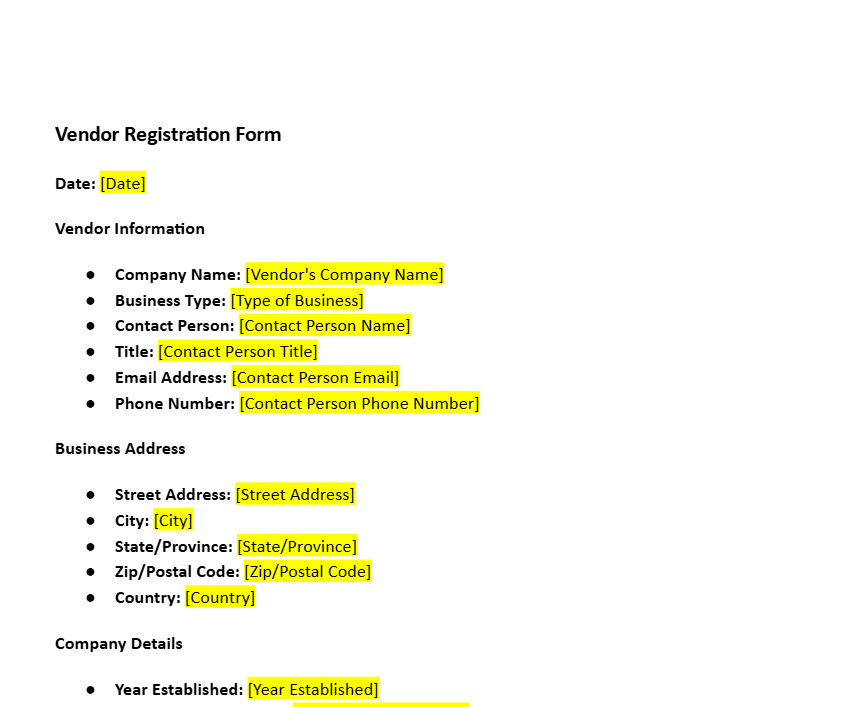
A vendor registration form template brings together all the information you need about a new supplier in one place – company name, contact details, services, pricing, payment preferences, and compliance documents. Instead of chasing scattered emails or handwritten notes, a standardised supplier registration form gives your team a single source of truth during the vendor onboarding process.
Unlike a job application or membership form, this document is created specifically for signing up new service providers and product suppliers. A structured vendor onboarding form makes it quick to register a new vendor without wading through long email threads. It introduces order, transparency, and convenience into the relationship, with both parties knowing exactly what has been agreed from the very beginning.
With a FreshDox vendor registration template in Word or PDF, you can skip the blank page and start from a professionally drafted vendor registration form sample that you simply customize to your needs.
Key Fields to Include in a Vendor Registration Form
The real strength of any vendor application form lies in the fields you choose to include. These inputs should reflect how your business operates, the level of risk you are comfortable with, and the information your finance, legal, and procurement teams need to approve a new supplier quickly.
A carefully designed but concise form respects the vendor’s time, which increases the likelihood that they will complete it accurately. When you start from a FreshDox vendor registration form template, you get a solid legal and operational structure that you can easily adjust – adding, removing, or renaming fields – to build a vendor-friendly, high-converting form.
Contact Information
Begin with the basics. Capture the supplier’s full name, phone number, email address, website, and physical business address. Clear contact information makes it easy to reach the right person for clarifications, approvals, and contract signatures. For vendors, these fields open an official communication channel and help avoid delays over missing or outdated details.
Business Name, Registration Details, and Vendor Contacts
Your form should clearly record the legal name of the business, trading name (if different), registration number, tax ID/VAT number, and the names of key contact persons. This is especially valuable when you work with many vendors or departments. Accurate legal details reduce confusion, help with compliance checks, and ensure your vendor master data is clean inside your accounting or ERP system.
Pricing Details and Commercial Terms
Include fields for unit prices, discount structures, minimum order quantities, and any standard fees. By asking suppliers to quote pricing in advance, your vendor registration form turns into a mini commercial proposal. Procurement teams can compare vendors side by side, while suppliers get a simple, structured way to present competitive pricing without a lengthy back-and-forth negotiation.
Order Information and Service or Product Description
Give providers enough space to describe the goods or services they offer. Ask them to list product categories, service types, locations served, and any specialisations. This section helps your company quickly decide whether a vendor is a good fit for your requirements. For vendors, it is a chance to highlight what makes them different – quality, speed, niche expertise, or a unique offering.
Payment Methods and Banking Details
A practical vendor registration form template should always include preferred payment methods (bank transfer, credit card, PayPal, EFT, cheque, COD, etc.) and banking details where relevant. Clear payment data reduces errors in payouts, shortens processing time for your accounts payable team, and gives suppliers confidence that they will be paid correctly and on time.
Social Media and Online Presence
Adding fields for website URLs and social media handles (LinkedIn, Instagram, Facebook, X, YouTube) allows your business to quickly review a vendor’s online reputation and marketing presence. For vendors, it is also an opportunity to showcase their brand, portfolio, and client feedback beyond the form itself.
Compliance, Licences, and Certifications
Depending on your industry, you may need to request food vendor permits, safety certificates, ISO standards, insurance details, tax compliance certificates, or professional licences. A well-structured supplier registration form helps vendors demonstrate that they meet your risk, safety, and regulatory requirements, positioning them as credible, trustworthy partners.
Why Your Company Should Use a Vendor Registration Form
So why invest time in setting up a proper vendor registration form template instead of just exchanging emails? The answer is simple: it saves time, reduces risk, and brings structure to your vendor onboarding process.
Event planners no longer have to chase food vendors for menu details, pricing, and stall requirements. Procurement teams do not have to guess which bank account to pay. Everything sits in one consistent, easy-to-read document that feeds directly into your vendor database or CRM.
Companies searching for new suppliers receive comparable prices and service descriptions upfront, which speeds up evaluation and decision-making. The purchasing department can quickly shortlist vendors for trade shows, construction projects, IT services, real estate developments, or local collaborations based on the same set of criteria.
This structure also improves workflow. Because the data is collected in a consistent format, it can be exported into spreadsheets or integrated into ERP, inventory management, or procurement software for analysis, monitoring, and audits. You get a clear, searchable record instead of a cluttered inbox.
Vendors benefit too. A clear vendor application form minimises miscommunication, reduces errors in invoices and payments, and gives them confidence that they are being onboarded professionally. When companies ask for relevant information in a logical, respectful way, suppliers are more willing to engage and build long-term partnerships.
Practical Uses of Vendor Registration Forms
Supplier registration forms are flexible tools that work in almost every sector. In event planning, a festival organiser might use an event vendor registration form to collect details from food trucks, merchandise sellers, and activity providers – from menu items and pricing to power needs and setup times.
At trade shows, organisers can use a central vendor registration form PDF or online form to manage booth reservations, branding requirements, payment terms, and exhibitor profiles. Everything needed to plan the floor layout and marketing material comes from a single standard template.
In property and facilities management, agents and owners use vendor registration forms to pre-qualify contractors, cleaners, security providers, and maintenance professionals. Customized fields for credentials, proof of insurance, references, and rates make it easy to compare bids and maintain a list of approved suppliers.
Small businesses – cafés, salons, retailers, and studios – can use a simple vendor registration form sample to organise information from local suppliers of ingredients, packaging, décor, or specialised services. Nonprofits can adapt the same template as a sponsor or donor registration form, capturing company details, contribution type, and invoicing data.
Whether you are a solo founder or part of a large corporate procurement team, a customized FreshDox vendor registration form template gives you a consistent way to work with vendors in any industry.
Tips for Optimizing Your Vendor Registration Form
To get the best results, keep your vendor registration form clear, focused, and easy to complete. Ask only for information you will actually use – contact details, business information, pricing, payment data, and specific compliance requirements. Too many unnecessary questions increase friction and lower response rates.
Use simple language and short instructions so suppliers can complete the vendor registration form online or on paper without confusion. A friendly tone – such as “We’re looking forward to working with you” – sets a professional yet welcoming atmosphere.
Always test your FreshDox template internally before sharing it externally. Fill it out as if you were a new vendor and check if the order of questions makes sense, whether any information is missing, and if there are fields you never use in practice. If possible, ask a colleague to review it as well so you can refine it further.
Finally, think about accessibility. Offer your vendor registration form in multiple formats if needed – an editable Word document, a downloadable vendor registration form PDF, and a web-based version hosted on your website. Different suppliers have different preferences, and flexibility increases completion rates.
How to Customize Your Vendor Registration Template
Once you’ve downloaded your vendor registration form template from FreshDox, adapting it to your business is straightforward. The goal is to make the form serve your workflow while still being easy for vendors to complete.
1. Identify Your Goals
Before editing, ask yourself what you want to achieve. Are you planning a festival and need an event vendor registration form that focuses on menu items and stall logistics? Are you a corporate company looking to standardise your supplier onboarding process worldwide? Your goals will decide which sections are essential and how detailed each one needs to be.
2. Add, Remove, or Rename Fields
Start with the existing structure of the FreshDox template – business name, contact details, services, pricing, and compliance. Add any extra fields that are crucial for your industry, such as safety checks, references, or technical specs. Remove any field that you never use. This keeps the form concise while still capturing everything required for a quick vendor approval.
3. Tailor the Language to Your Brand
Adjust the field labels and instructions so they match your company’s brand voice. Instead of generic lines like “Enter details,” use natural prompts such as “Tell us how to contact you” or “Describe the products or services you can supply.” Clear, conversational language makes the form more approachable and encourages accurate, complete responses.
4. Distribute and Collect Responses
Once your vendor registration form template is ready, save different versions if necessary (Word, PDF, or an online form) and decide how you will share it – via email, a secure portal, or a link on your website. Adding a gentle deadline such as “Please complete this vendor registration form by Friday” can help you receive responses on time and keep your projects on schedule.
FAQ: Vendor Registration Form Templates
What is a vendor registration form?
A vendor registration form is a standard document used to collect key information about a new supplier before you begin doing business together. It usually includes contact details, business information, services, pricing, and payment data so your company can approve, onboard, and pay the vendor correctly.
Is there a difference between a vendor registration form and a supplier registration form?
In most organisations, “vendor registration form” and “supplier registration form” mean the same thing. Both are used to gather information about companies that provide goods or services to your business. The terminology you use can be adjusted easily inside your FreshDox template.
Can I use this form for online vendor onboarding?
Yes. The same FreshDox vendor registration form template can be adapted into an online vendor onboarding form, embedded on your website, or shared via secure links. Vendors can complete it digitally, and your team can store the responses in your preferred system.
Download a Vendor Registration Form Template with a Free Trial of FreshDox
If you are ready to streamline how you bring new suppliers on board, start with a professionally drafted vendor registration form template from FreshDox. When you sign up for a 7-day free trial, you can download this vendor registration form in both Word and PDF formats, customise it for your business, and explore 200+ other legal and business document templates.
Skip the frustration of building forms from scratch in generic tools or trying to design a vendor registration form in Google Docs or spreadsheets. FreshDox gives you lawyer-reviewed templates that plug straight into your existing systems and workflows. Sign up today, download your vendor registration form sample, and start building cleaner, safer, and more efficient vendor relationships.
Popular searches:
- Vendor Registration Form Template (Word & PDF) pdf
- Vendor Registration Form Template (Word & PDF) sample
- Vendor Registration Form Template (Word & PDF) download
- Vendor Registration Form Template (Word & PDF) format
- Vendor Registration Form Template (Word & PDF) template
- Vendor Registration Form Template (Word & PDF) word
- Vendor Registration Form Template (Word & PDF) free

 Download Word Template
 Download PDF Template
Related Templates
Discover more templates that align with your needs and preferences.













Ready to Sign Up?
Start your 7-day free trial and access professionally drafted legal documents built for business use.
- Cancel any time
- 7-day free trial
- From 300+ Customer Reviews
